
Zammad 7.0 On-Premise: Full AI Power Without Your Data Leaving the Server
A practical guide to self-hosting Zammad 7.0 with its new AI features — covering setup, infrastructure costs, LLM choices, and how to keep every byte of ticket data on your own hardware.

Zammad 7.0 On-Premise: Full AI Power Without Your Data Leaving the Server
Zammad 7.0 dropped on March 4, 2026 — and it is a big one. For the first time, Zammad ships native AI features: automated ticket categorization, AI-powered summaries, and a writing assistant built right into the agent interface. The twist? You pick the LLM. You can run everything on your own servers. No data has to leave your network.
This post walks through what Zammad 7.0 brings, how to set it up on-premise with Docker, what it actually costs to host, and how to make sure not a single ticket ever touches an external API you do not control.
What Is New in Zammad 7.0
AI Agents
Zammad now has AI agents that plug directly into triggers, macros, and scheduler jobs. They handle automatic categorization, priority assignment, and can even rewrite ticket titles for clarity. Every AI action is logged in the ticket history — full audit trail, no black box.
When an AI agent is working a ticket, other agents see a live collision indicator in the UI. No accidental overwrites.
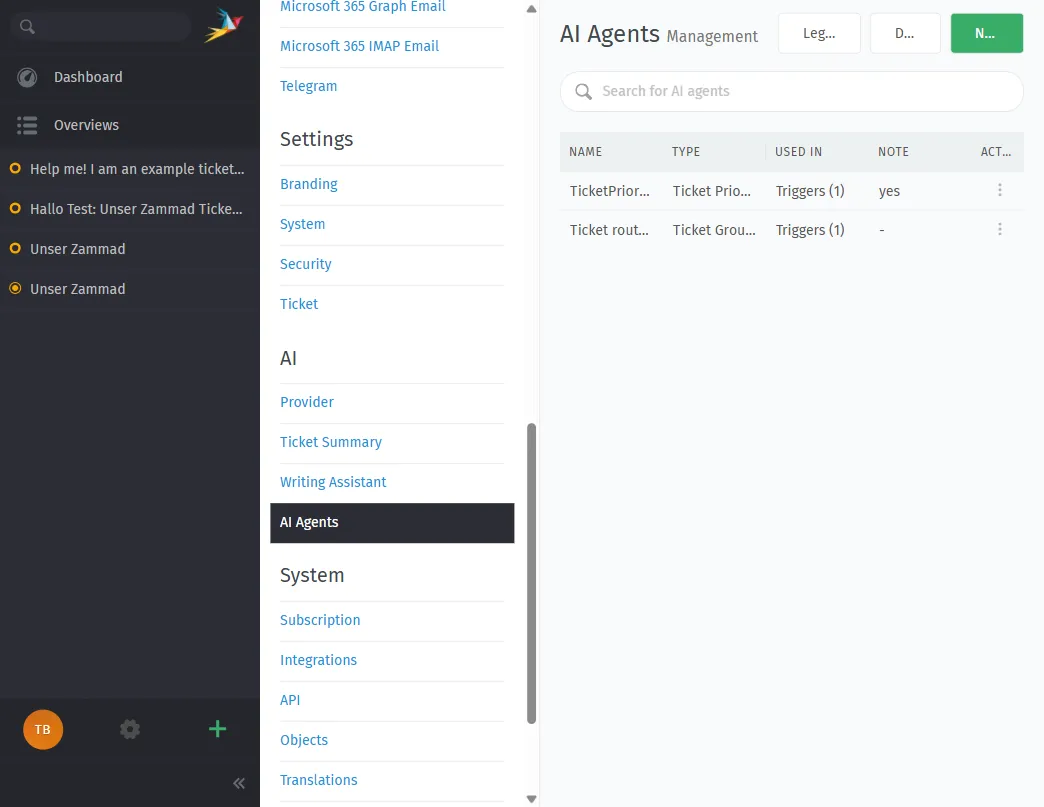
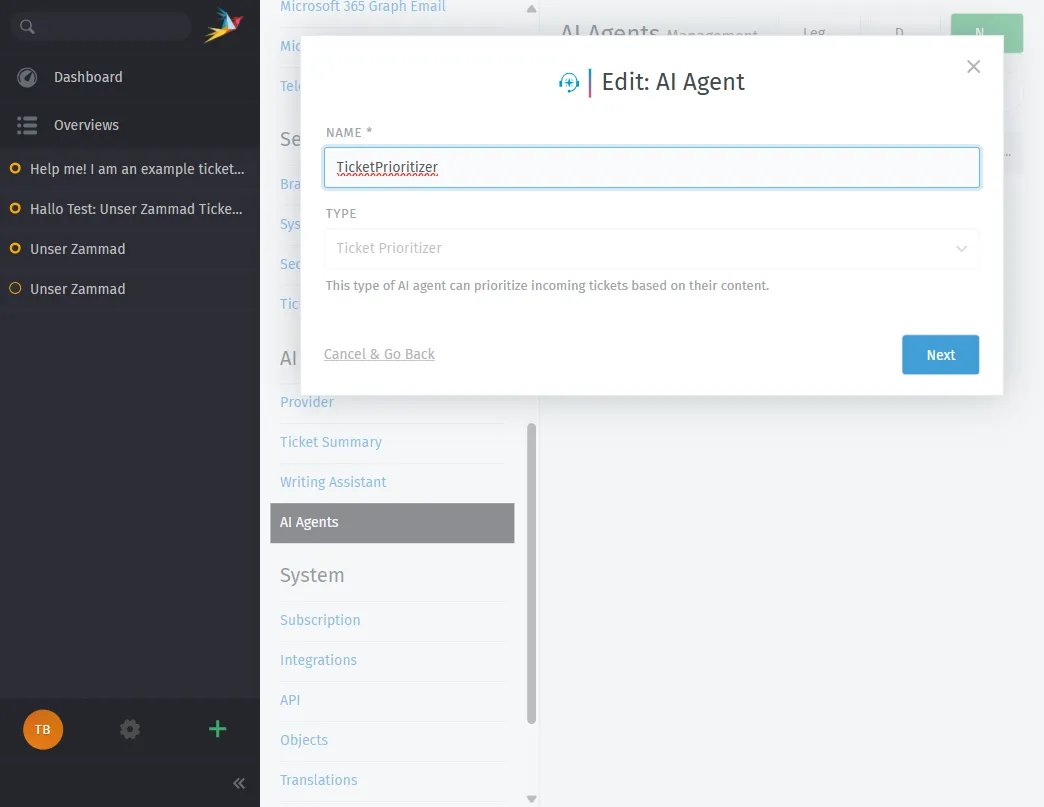
Here is the configuration dialog for an AI agent. You can choose from built-in types like Ticket Prioritizer, Ticket Categorizer, Ticket Group Dispatcher, Ticket Title Rewriter, or create a fully custom agent:
AI Ticket Summary
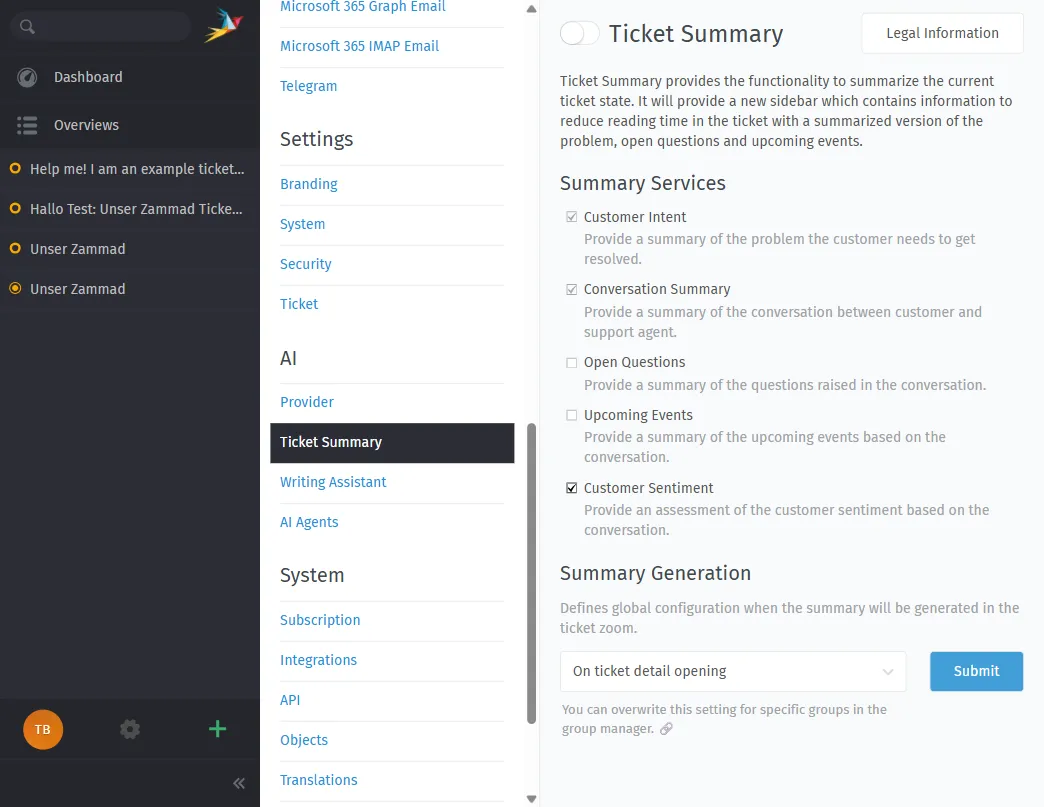
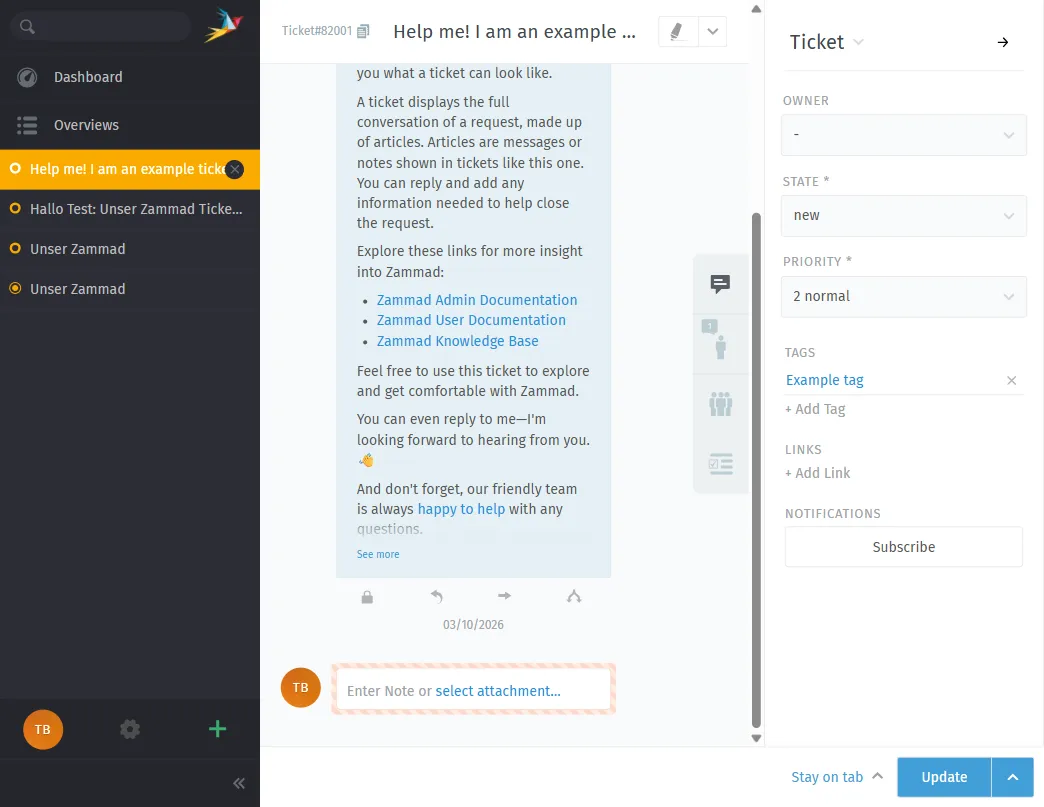
Long ticket threads get a one-click TL;DR. The summary breaks down:
- Customer intent — what the customer actually wants
- Conversation summary — what has been discussed
- Open questions — what information is still missing
- Upcoming events — pending callbacks, deadlines, shipments
- Customer sentiment — cooperative, neutral, frustrated
This is a massive time-saver for handovers and escalations.
AI Writing Assistant
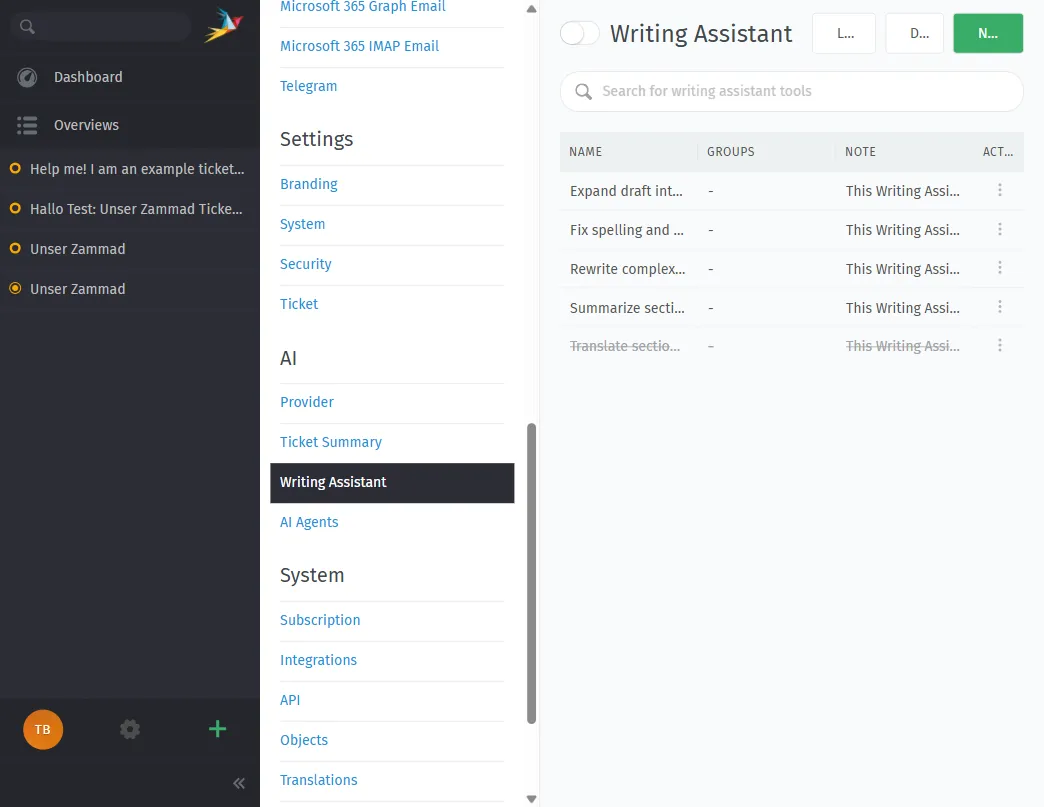
The writing assistant helps agents draft and refine replies. Out of the box it can:
- Convert rough drafts into polished paragraphs
- Fix spelling and grammar
- Rephrase complex text
- Summarize long passages
- Translate into other languages
You can also create custom writing tools for industry-specific tone or wording. All suggestions are just that — suggestions. The agent always has final approval.
Breaking Changes to Know About
Before upgrading, be aware:
- MySQL support is gone. Zammad 7.0 requires PostgreSQL. If you are still on MySQL, you must migrate first.
- Elasticsearch index rebuild required after the update (new ASCII folding support).
- nginx config must be updated — check the official migration guide.
- Slack integration removed — use webhooks instead.
- Twitter/X integration removed.
The Data Sovereignty Angle
Here is why on-premise Zammad 7.0 matters: you get AI features without the usual trade-off of sending your data to OpenAI, Anthropic, or Google.
Zammad 7.0 introduces an AI API layer where you configure which LLM to use. The admin panel lets you pick from Zammad AI, OpenAI, Ollama, Anthropic, Azure AI, Mistral AI, or any custom OpenAI-compatible endpoint:
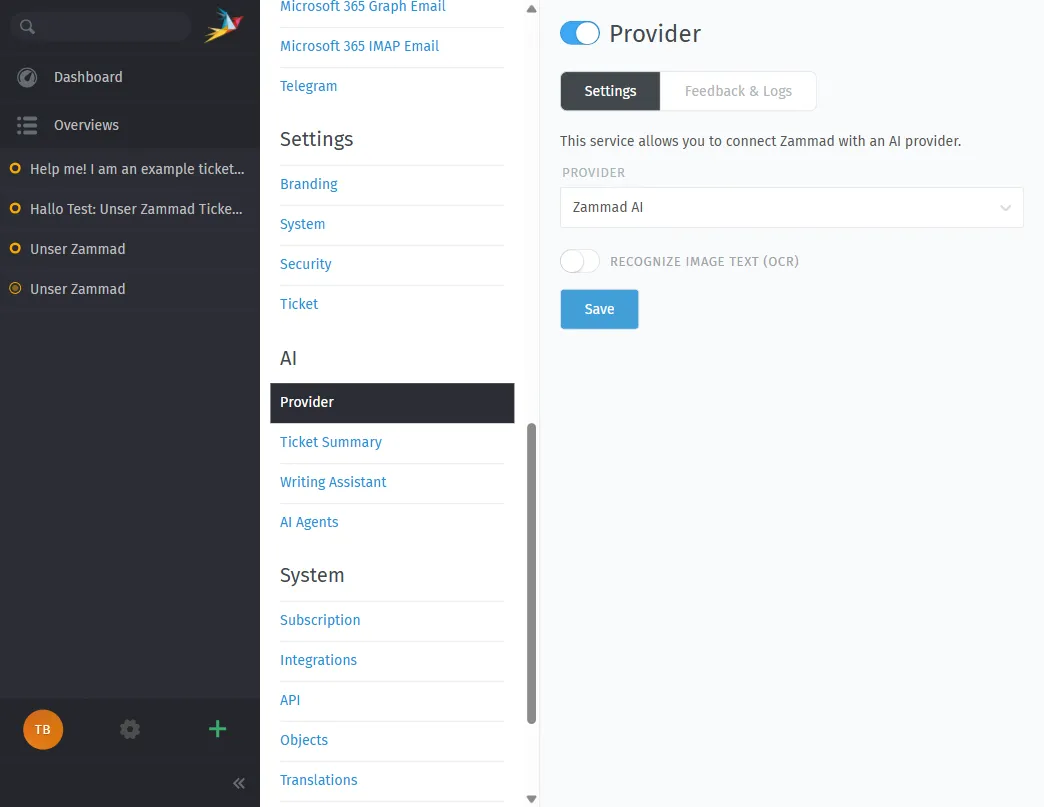
Your options:
- Cloud LLMs — OpenAI, Anthropic Claude, Google Gemini, Mistral AI (data leaves your network)
- Self-hosted isOpen-source models — Meta Llama, Mistral, or any OpenAI-compatible API running on your own hardware (data stays on-premise)
For maximum data control, option 2 is what you want. Run an isOpen-source LLM like Llama 3 or Mistral via Ollama, vLLM, or LocalAI on a GPU server in your own datacenter. Point Zammad’s AI API config at http://your-internal-llm:8080 and you are done. Zero data leaves the building.
“Companies should not be forced into an impossible choice between adopting AI technology and protecting their data.” — Martin Edenhofer, Founder & CEO, Zammad
EU AI Act Alignment
Zammad explicitly designed their AI features with the EU AI Act in mind:
- Human in the loop — AI assists, humans decide
- Full audit trail — every AI action logged in ticket history
- Open-source codebase — auditable and transparent
- LLM choice — you control where data is processed
If you are in a regulated industry (healthcare, government, finance, critical infrastructure), this matters.
Self-Hosting Zammad 7.0 with Docker
System Requirements
Zammad’s official hardware requirements (from their documentation):
Minimum (small teams):
| Resource | Specification |
|---|---|
| CPU | 2 cores |
| RAM | 6 GB (+ 4 GB if Elasticsearch runs on same server) |
| Storage | 50 GB SSD |
Recommended (up to 40 agents):
| Resource | Specification |
|---|---|
| CPU | 6 cores |
| RAM | 6 GB (+ 6 GB for Elasticsearch on same server) |
| Storage | 100+ GB SSD |
Software stack:
- PostgreSQL (only supported database since 7.0)
- Elasticsearch (for full-text search, strongly recommended)
- Redis or filesystem caching
- Docker + Docker Compose (recommended deployment method)
- nginx as reverse proxy
Docker Compose Setup
Zammad provides an official Docker Compose stack. Here is the quick path:
# Clone the official Docker setup
git clone https://github.com/zammad/zammad-docker-compose.git
cd zammad-docker-compose

# Review and adjust .env file
cp .env.dist .env
nano .env

# Start the stack
docker compose up -d
The default stack spins up:
- Zammad application (Rails + background workers)
- PostgreSQL database
- Elasticsearch for search
- Redis for caching
- Nginx as reverse proxy
Everything runs in isolated containers on your server. No external dependencies, no phone-home, no telemetry.
Adding a Self-Hosted LLM
To keep AI features fully on-premise, you need a local LLM server. The simplest option:
# On a GPU-equipped server (or the same server if it has a GPU)
docker run -d --gpus all \
  -v ollama:/root/.ollama \
  -p 11434:11434 \
  --name ollama \
  ollama/ollama

# Pull a model
docker exec -it ollama ollama pull llama3.1:8b
Then configure Zammad’s AI settings to use your local endpoint:
- Provider: OpenAI-compatible
- API URL:
http://your-server:11434/v1 - Model:
llama3.1:8b - API Key: (leave empty or use a dummy value for local Ollama)
Now ticket summaries, AI agents, and the writing assistant all run through your local model. No data leaves your infrastructure.
What Does It Actually Cost?
Let us break down the real costs of running Zammad 7.0 on-premise.
1. Server Hosting
You need at least one server for Zammad and optionally a second for the LLM if you want on-premise AI.
Zammad Server (Hetzner, OVH, or similar European providers):
| Setup | Specs | Monthly Cost |
|---|---|---|
| Minimum | 2 vCPU, 8 GB RAM, 80 GB SSD | ~€10–15/mo |
| Recommended | 6 vCPU, 16 GB RAM, 200 GB SSD | ~€25–40/mo |
| Production | 8 vCPU, 32 GB RAM, 500 GB NVMe | ~€50–80/mo |
LLM Server (only if you want fully on-premise AI):
| Setup | Specs | Monthly Cost |
|---|---|---|
| Budget GPU | RTX 3090/4090 dedicated server | ~€80–150/mo |
| Production GPU | A10/A100 cloud GPU (Hetzner, Lambda) | ~€150–400/mo |
If you already have GPU hardware in your datacenter, the additional cost is just electricity and maintenance.
Without a local LLM, you can still use cloud providers like Mistral AI (EU-based) at roughly €0.01–0.05 per AI call, which is a good middle ground — EU data residency, pay-per-use, no GPU investment.
2. Zammad Software
Zammad itself is isOpen source and free. The AGPL license means you can run it on-premise without paying Zammad a cent.
However, if you want official support from Zammad GmbH:
| Plan | What You Get | Price |
|---|---|---|
| Business | Email support, 8×5 CET, 6h response, 15 requests/year | Contact sales |
| Enterprise | Email + phone, 8×10 CET, 4h response, 45 requests/year | Contact sales |
| Corporation | Email + phone, 8×12 CET, 2h response, 95 requests/year, patch updates | Contact sales |
For hosted/cloud Zammad, plans start at €7/agent/month (Starter) up to the Plus plan for unlimited agents. But since we are talking on-premise — the software itself is free.
3. Operational Costs
Do not forget the hidden costs of self-hosting:
- Backups — Automated PostgreSQL + Elasticsearch snapshots. ~€5–10/mo for off-site backup storage.
- SSL certificates — Free with Let’s Encrypt.
- Monitoring — Uptime checks, disk alerts, container health. Free with tools like Uptime Kuma or Netdata.
- Updates — You are responsible for applying Zammad updates, security patches, and OS updates. Budget 2–4 hours per month for a sysadmin.
- DNS + Domain — ~€10–15/year.
Total Cost Estimate
| Scenario | Monthly Cost |
|---|---|
| Small team (5 agents), no local AI | €15–25/mo |
| Medium team (20 agents), cloud LLM (Mistral) | €40–60/mo + AI usage |
| Large team (40+ agents), fully on-premise AI | €130–250/mo |
Compare this to Zammad’s hosted plans where 20 agents on the Professional plan would cost €14 × 20 = €280/month — and you still do not get the same level of data control.
The Complete On-Premise Data Flow
Here is what happens when a ticket comes in on a fully on-premise Zammad 7.0 setup:
- Customer sends email → your mail server receives it
- Zammad fetches the email → stored in PostgreSQL on your server
- Trigger fires → calls an AI agent for categorization
- AI agent sends ticket text → to your local LLM (same network)
- LLM returns classification → Zammad updates the ticket
- Agent opens ticket → sees AI summary, uses writing assistant
- All AI calls → hit your local Ollama/vLLM instance
At no point does any data leave your network. The entire chain — email ingestion, database storage, AI inference, agent interaction — runs on hardware you control.
Pairing Zammad 7.0 with Open Ticket AI
Zammad 7.0’s built-in AI features cover summaries, writing assistance, and basic categorization. But if you need custom-trained classification models that learn from your specific ticket data — that is where Open Ticket AI comes in.
Open Ticket AI trains a custom model per customer from your queue metadata (QueueSpec). The model runs on-premise via Docker, connects to Zammad through the OTAI Zammad plugin, and delivers classification accuracy that generic LLMs cannot match for specialized domains.
The two systems complement each other:
- Zammad 7.0 AI → summaries, writing assistance, general-purpose categorization
- Open Ticket AI → specialized, high-accuracy classification trained on your data
Both run on-premise. Both keep your data where it belongs.
Getting Started
- Provision a server — Hetzner, OVH, or your own datacenter. 4+ vCPU, 16 GB RAM minimum.
- Deploy Zammad with Docker Compose — follow the official Docker guide.
- Set up PostgreSQL backups —
pg_dumpon a cron job, stored off-site. - Install Ollama for a local LLM if you want fully on-premise AI.
- Configure Zammad’s AI settings — point at your local LLM endpoint.
- Set up SSL with Let’s Encrypt and a reverse proxy.
- Consider Open Ticket AI for custom classification models.
Your helpdesk. Your data. Your AI. On your terms.