
01
Contact Us
Share your ticket system and use case. We set up your trial.
100% Full On-Prem — private AI for your helpdesk on your infrastructure. Configure classification, summaries, and workflows in OTAI Studio — integrated directly into your ticket system.
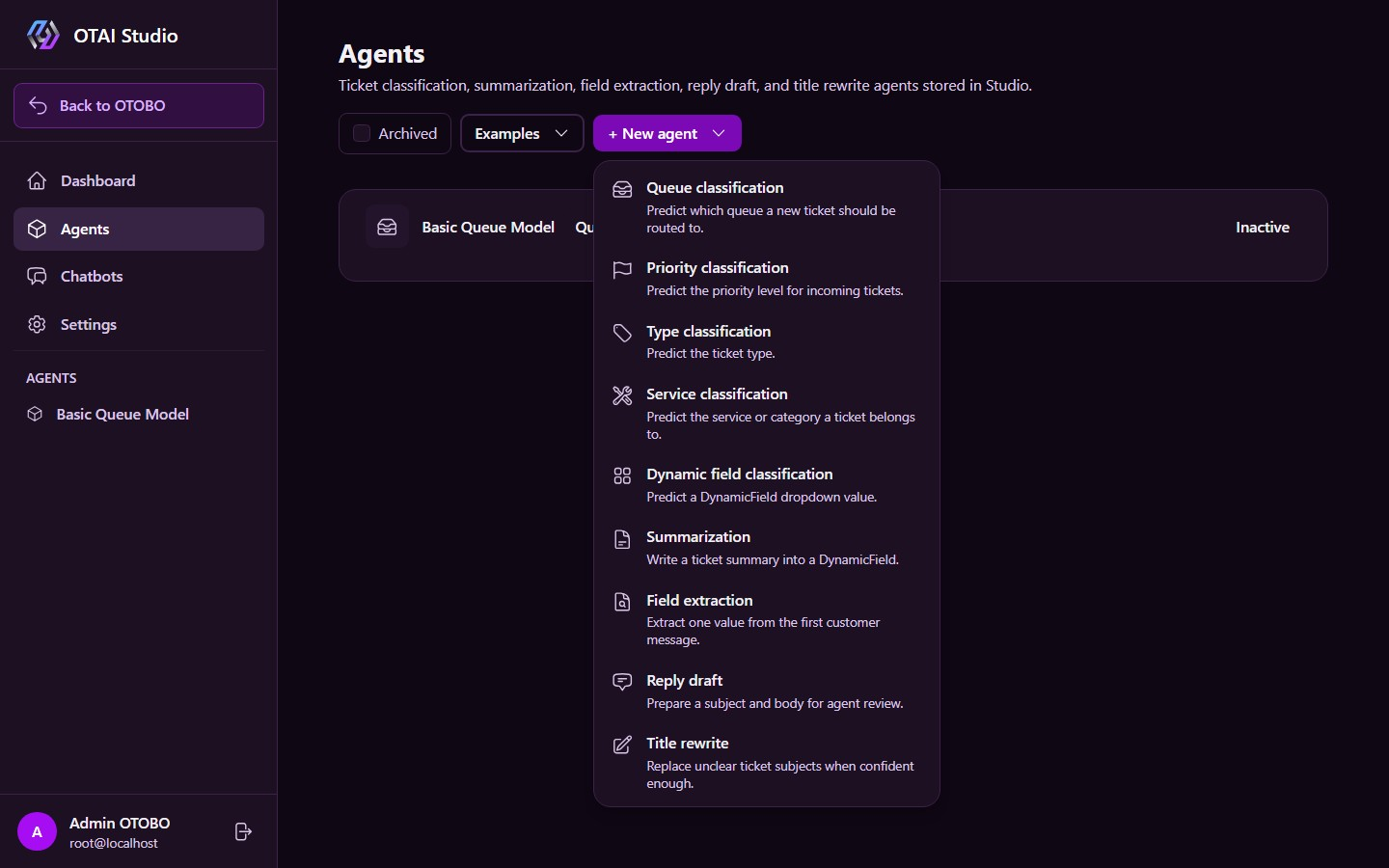
Pick queue, priority, type, service, or field classification from one menu.
Full control over helpdesk AI on your own infrastructure. Configure chatbots, classification, ticket summaries, and reply drafts in OTAI Studio.
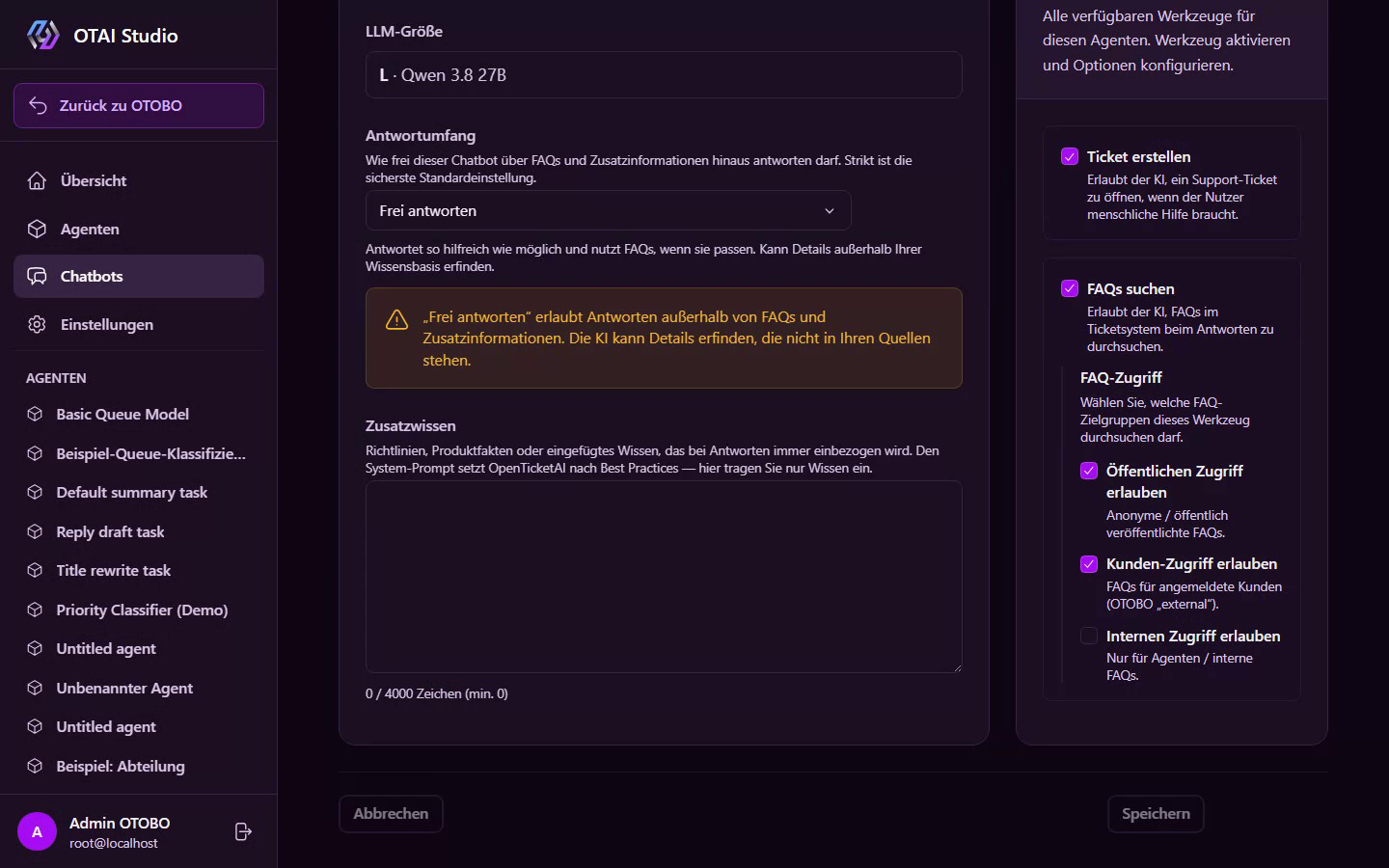
Public, customer, and internal chatbots grounded in your knowledge base — running entirely on your infrastructure.
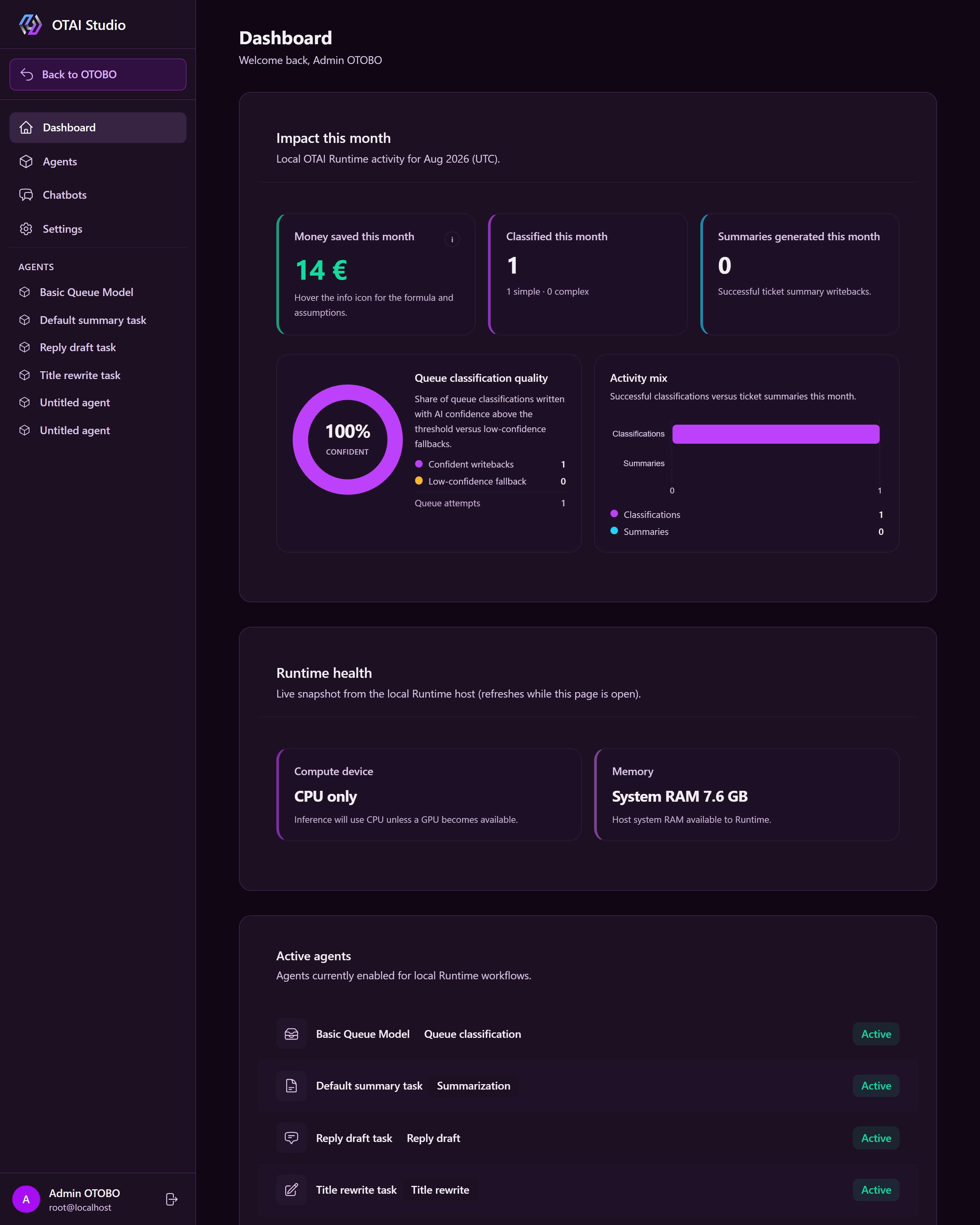
Configure agents, chatbots, and permissions inside your ticket system — without touching complex sysconfig files.
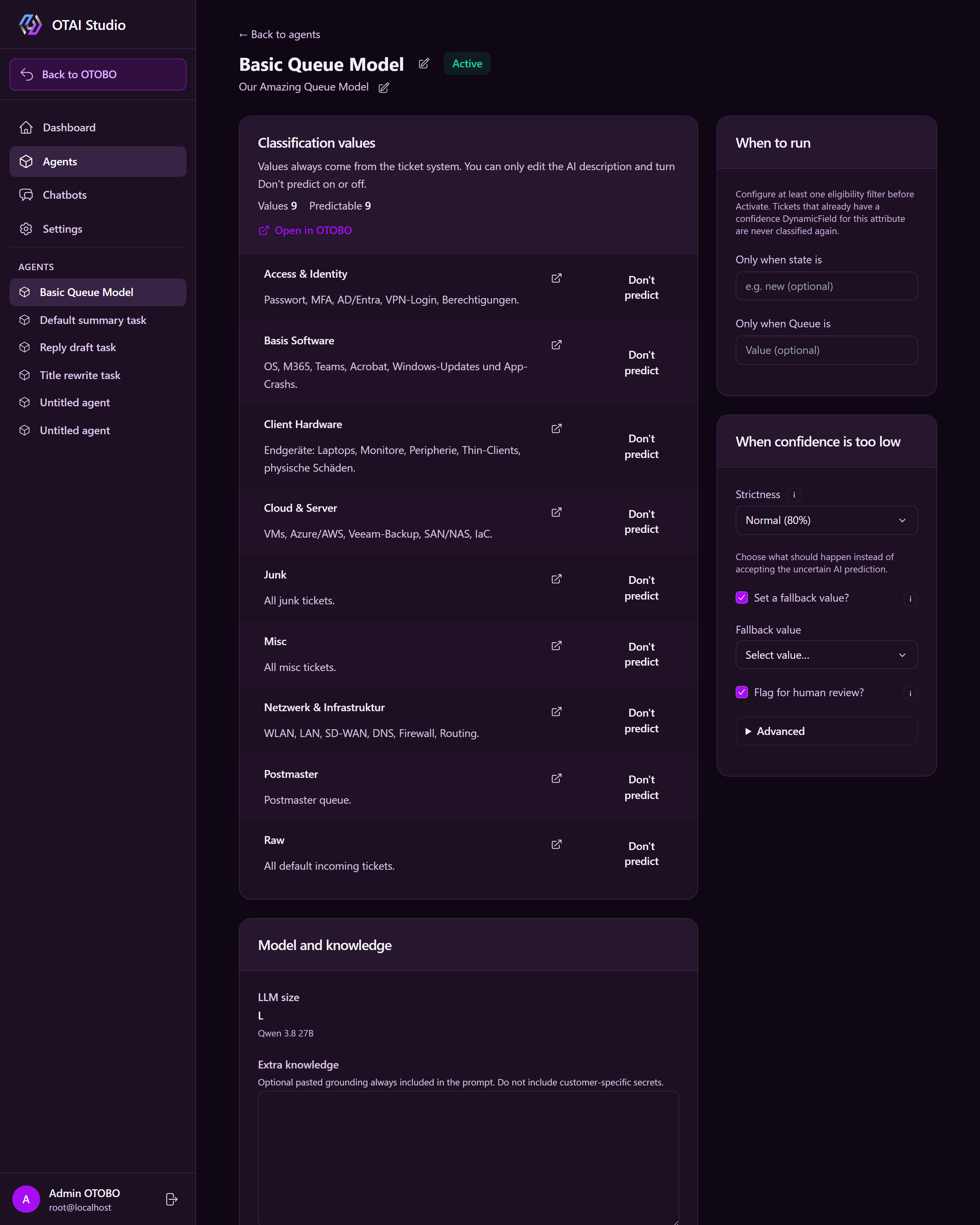
Classify routing target, priority, and custom fields from your helpdesk setup — without exporting ticket payloads.
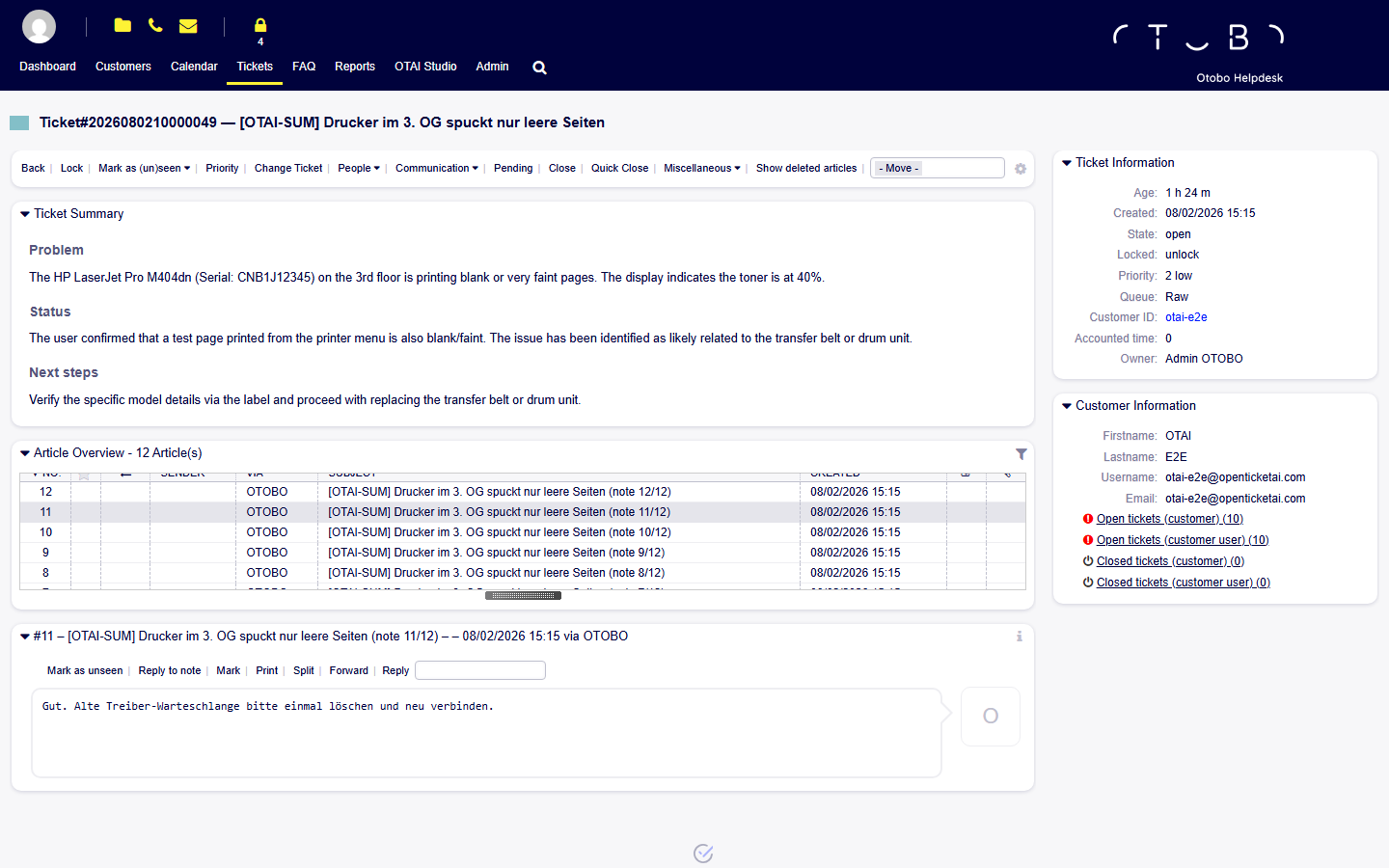
Short summaries written back to your ticket system, giving agents instant context without reading entire threads.
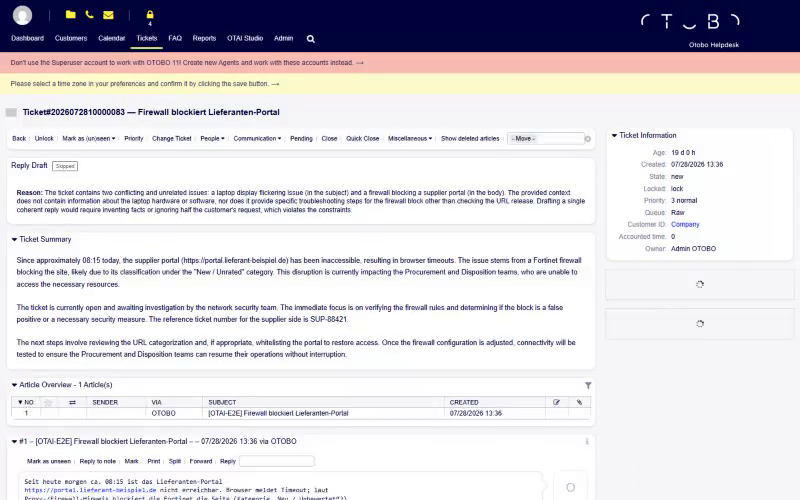
Suggested replies grounded in your knowledge base, helping agents respond faster and consistently.
Suggest clearer, structured ticket titles automatically generated from the conversation context.
Extract structured data — such as IDs and reference numbers — directly into ticket fields.
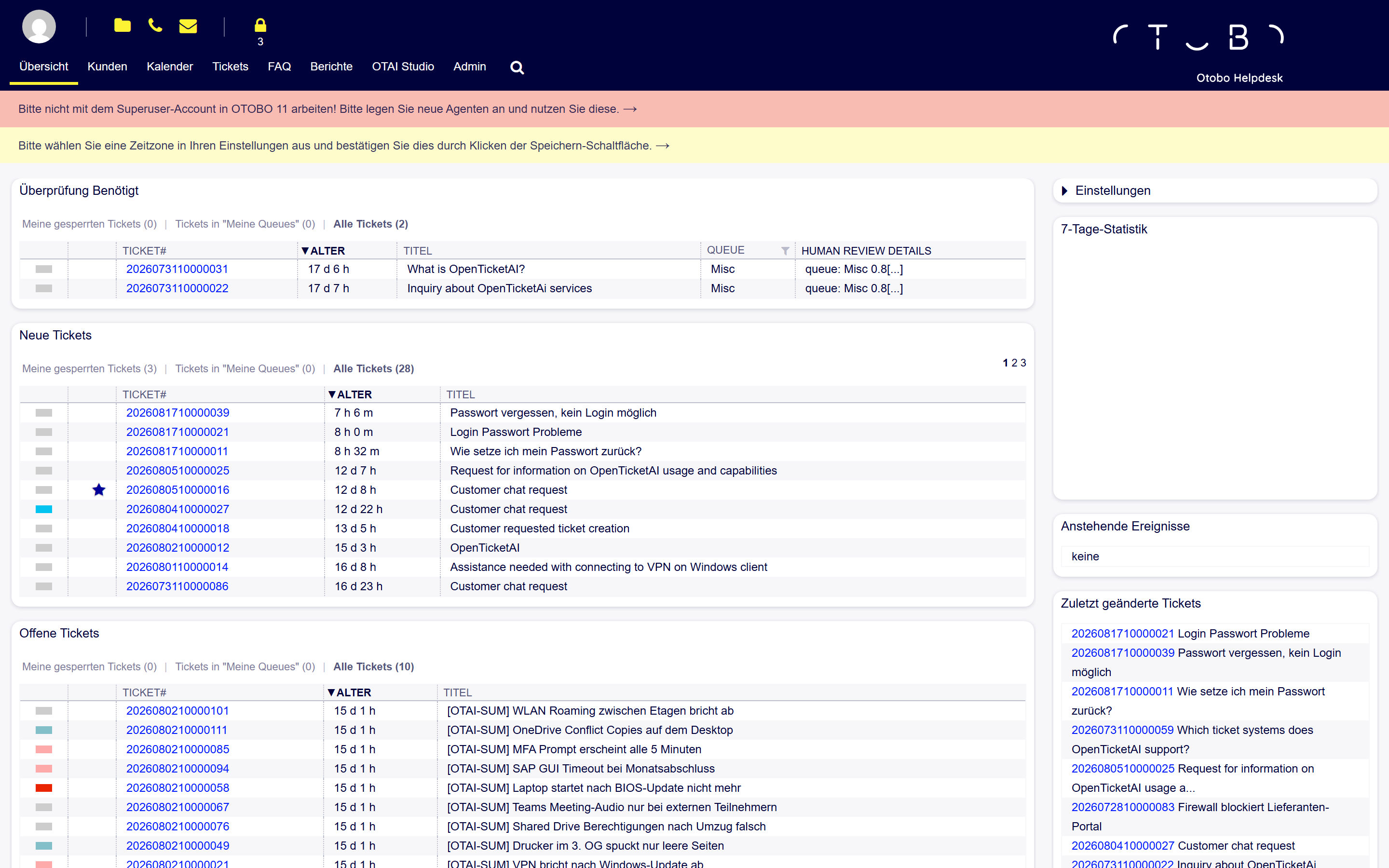
Deploy with Docker alongside your helpdesk. Connectors for Zammad, OTOBO, Znuny, and more process tickets locally with direct writeback.
OTAI Studio extends your ticket system on your infrastructure alongside the runtime. No cloud required for production.
Change AI behavior in minutes without editing ticket system sysconfig files.
Studio, Runtime, and data remain on your infrastructure.
Open Studio directly from OTOBO, Znuny, or Zammad without extra accounts.
Control roles and permissions for agents and settings from one place.
Every classification agent starts the same way.
OTAI Studio simplifies AI configuration, agent management, and runtime visibility.
New agent → describe values → set trigger & fallback → save → activate. Same for every classification type.
Queue routing in minutes. Customer chatbot: enable FAQ search, index your homepage, activate.
Sync queues, priorities, and categories from your ticket system — reuse existing notes as AI descriptions.
Manage permissions for editing agents and system settings.
Evaluate the platform online before moving the setup to your infrastructure.
Share your ticket system and use case. We set up your trial.
Test in a ready Free Cloud Trial GPU environment before buying hardware.
Deploy Studio and Runtime on your own infrastructure for production.
We assist with deployment, updates, security patches, and hardware specs.
Evaluate online with our Free Cloud Trial, then deploy Full On-Prem on your servers.
Evaluate & test
On request · agent-based software
Manual triage, misrouting, and wait time add up fast. See what changes when classification runs on every ticket.
Four hidden costs — easy to miss, expensive when they stack up.
Agents read and sort before specialist work starts.
Wrong queue → tickets ping-pong between teams.
Hours before the right team sees the ticket.
Reading threads, copying fields, re-prioritizing.
Concrete situations — not just spreadsheet math.
Lisa
Customer
Hours waiting for a reply
A password reset lands in the general queue — Lisa waits most of the day.
4+ hoursAnswer in minutes via chatbot
The public chatbot resolves common requests instantly — no ticket needed.
~2 minMarco
L1 agent
Sorts every ticket by hand
Pushes 80+ tickets/day into queues — specialist teams still wait hours.
45 min avg. to right teamRouting on arrival
Classification sets queue and priority before Marco even opens the ticket.
InstantSandra
Specialist
Reads long threads herself
Scrolls through 15 emails just to understand the current status.
8–12 min/ticketSummary on the ticket
Problem, status, and next steps are written back on the ticket.
~30 secTwo typical profiles — net of OTAI subscription range. More scenarios on the full ROI calculator page.
A lean support team handling a steady daily ticket stream.
50 tickets/day · 3 queues/groups
Estimated monthly savings
≈ €2,700–€3,000
per month (net of subscription range)
Where the savings come from
Queue / group classification
No L1→L2 hopping: The right team starts on intake. Primary savings driver.
Faster first handling / shorter cycle
Priority & other attributes
Proper fields reduce mis-prioritization and re-sorting.
Faster first handling / shorter cycle
Ticket summaries
Cuts reading time per ticket for agents.
Agent time (not cycle time)
Answer drafts
SoonReview a draft (~30–90s) instead of typing — useful on ~25% of tickets.
Not shipped yet — illustrative only
Customer chatbot
Premium · SoonPremium pack only: Prevents simple requests from becoming tickets.
Not shipped yet — illustrative only
Tickets land with the right team hours earlier — SLAs are easily met.
Growing helpdesk routing across multiple specialized teams.
200 tickets/day · 10 queues/groups
Estimated monthly savings
≈ €12,600–€13,300
per month (net of subscription range)
Where the savings come from
Queue / group classification
Straight to the right team without manual triage — dominant savings lever.
Faster first handling / shorter cycle
Priority & other attributes
Proper priority from intake shortens time to meaningful work.
Faster first handling / shorter cycle
Ticket summaries
Saves agent reading time across all tickets.
Agent time (not cycle time)
Answer drafts
SoonLess typing on routine queries (coming soon).
Not shipped yet — illustrative only
Customer chatbot
Premium · SoonPremium: Deflects ticket creation. Not included in Standard.
Not shipped yet — illustrative only
Resolved up to a day faster — queue/group classification drives most savings.
Queue/group classification drives cycle-time savings. Other features save agent time or deflect tickets.
Summarizes long email threads instantly. Reduces agent reading time.
From Entry · available now
Review and send drafts instead of typing. Speeds up responses.
Depends on pack
Answers common questions directly to deflect ticket creation.
Premium pack only
Illustrative examples for European support teams. Subscription figures are ranges (Full On-Prem from ~€500/month depending on agents + pack) — not a fixed price list. Manual costs cover triage, wait time, and misrouting. Chatbot and answer drafts are coming soon.
Updates, patches, and direct OTAI support — no third parties.
Included standard support
Expanded support with faster SLAs
Six pillars that keep your on-prem deployment running.
Studio and runtime updates.
On-prem security patches.
Agreed response and resolution targets.
Direct engineer access for deployment issues.
Helpdesk setup tuning for better classification.
Clear path to senior engineers.
Implementation, integration, and custom dev are delivered by certified partners.
View Partners & ServicesFull On-Prem runs completely on your servers. Use your existing GPU hardware or source a system through our partner.
Deploy via Docker alongside Zammad, OTOBO, Znuny, and other ticket systems.
Requires a GPU with at least 24 GB VRAM. We provide exact hardware recommendations for your volume.
Use your existing infrastructure or purchase hardware through our trusted partners.
Evaluate OTAI risk-free with our Free Cloud Trial before purchasing hardware.
Run routing, priorities, and summaries on your infrastructure.