
Zammad MCP Server: Setup Guide for Claude and Cursor
Set up the free Zammad MCP Server for Claude, Cursor, and other MCP clients. Install with uvx, connect your Zammad API token, and use 30+ helpdesk tools.
If you search for Zammad MCP Server, you probably want one thing: connect an AI assistant to your Zammad helpdesk without writing a custom REST integration. The Zammad MCP Server (MIT, open source) does exactly that — it turns tickets, users, organizations, groups, and system data into Model Context Protocol tools for Claude Desktop, Cursor, and other MCP clients.
This guide covers Zammad MCP Server setup end to end, Claude and Cursor configuration, daily helpdesk usage examples, and where to go deeper. Full reference docs live on our site: Zammad MCP Server documentation.
- GitHub: github.com/Softoft-Orga/zammad-mcp-server
- PyPI:
zammad-mcp-server
What is the Zammad MCP Server?
The server sits between your MCP client (Claude, Cursor, etc.) and the Zammad REST API:
flowchart LR
  Client[Claude or Cursor]
  MCP[Zammad MCP Server]
  API[Zammad REST API]
  Client -->|MCP tools| MCP --> API
It ships 30+ typed tools, built-in prompts (ticket summary, customer communication, escalation analysis), resource URIs (zammad://ticket/{id}), and access control so you can deny delete operations for agent workflows.
Unlike Zammad 7.1 native AI inside the Zammad UI, MCP connects external assistants you already use for coding and automation. Unlike Open Ticket AI Runtime, it does not train custom models — it is a free bridge for immediate experimentation.
Prerequisites
- Python 3.11+ (or
uvxwithout a global install) - A running Zammad instance (6.0+; tested with 7.1 — self-hosted, cloud, or Docker dev stack)
- A Zammad personal access token
Step 1 — Create a Zammad API token
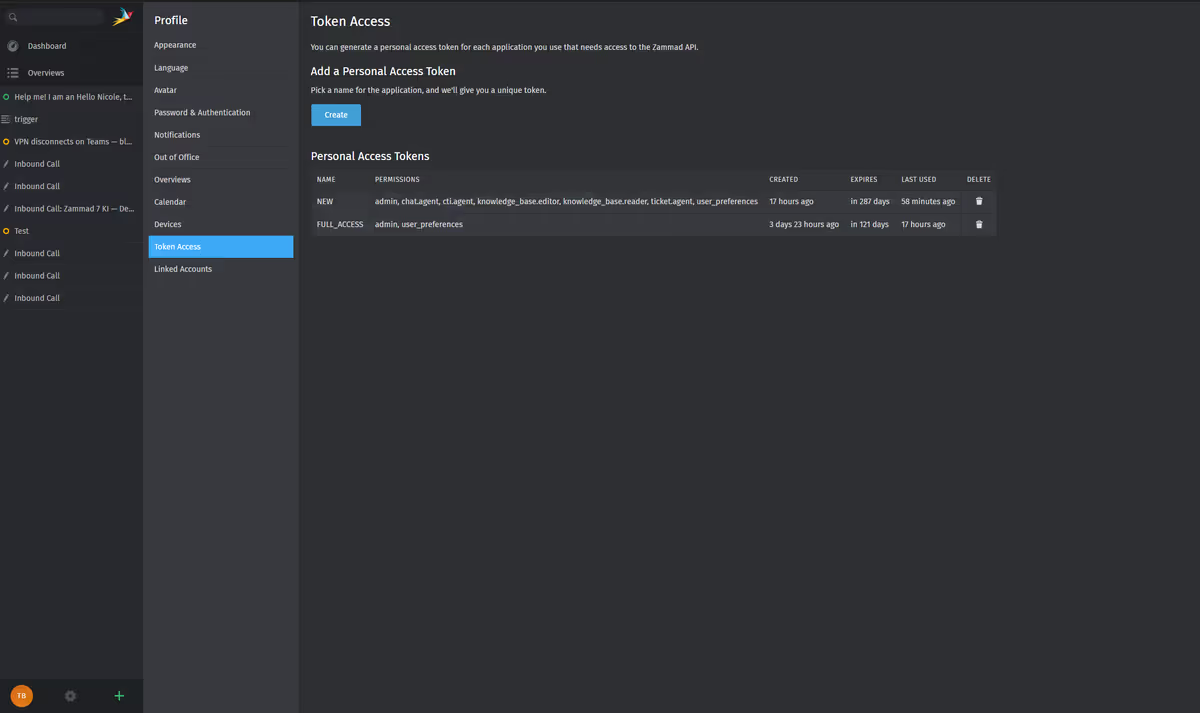
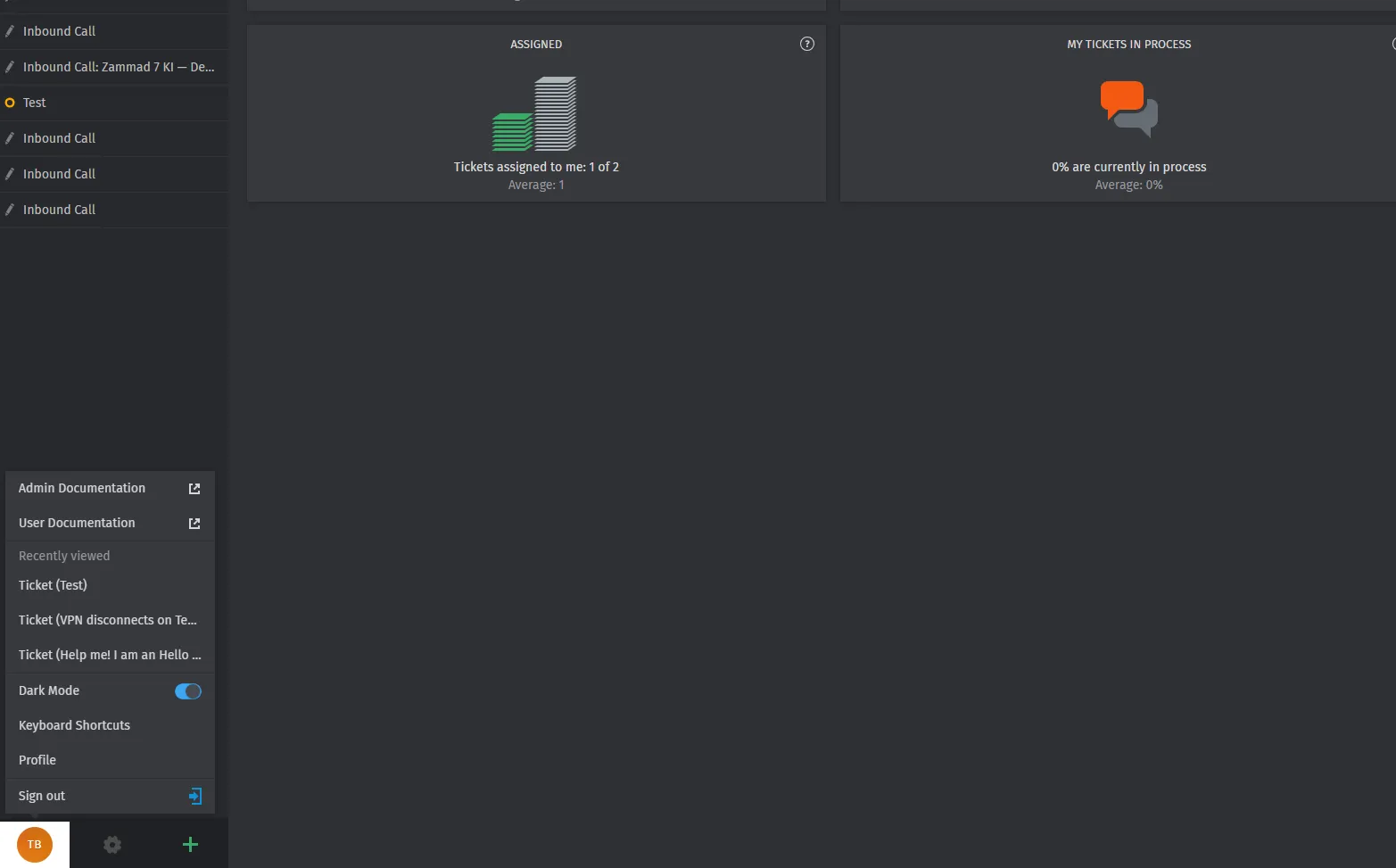
Open your profile
Click your user icon (bottom-left) → Profile.
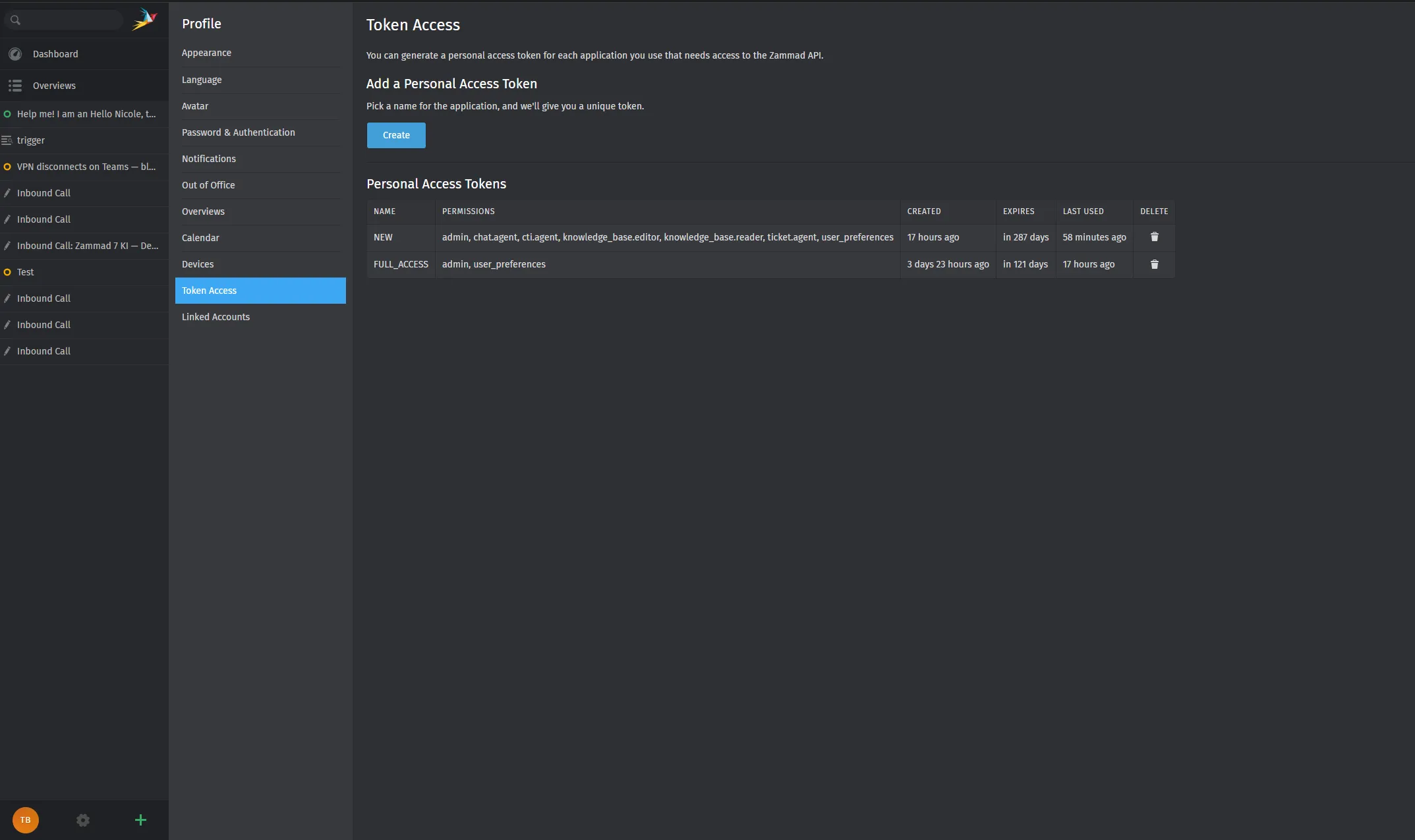
Open Token Access
Select Token Access, then click Create.
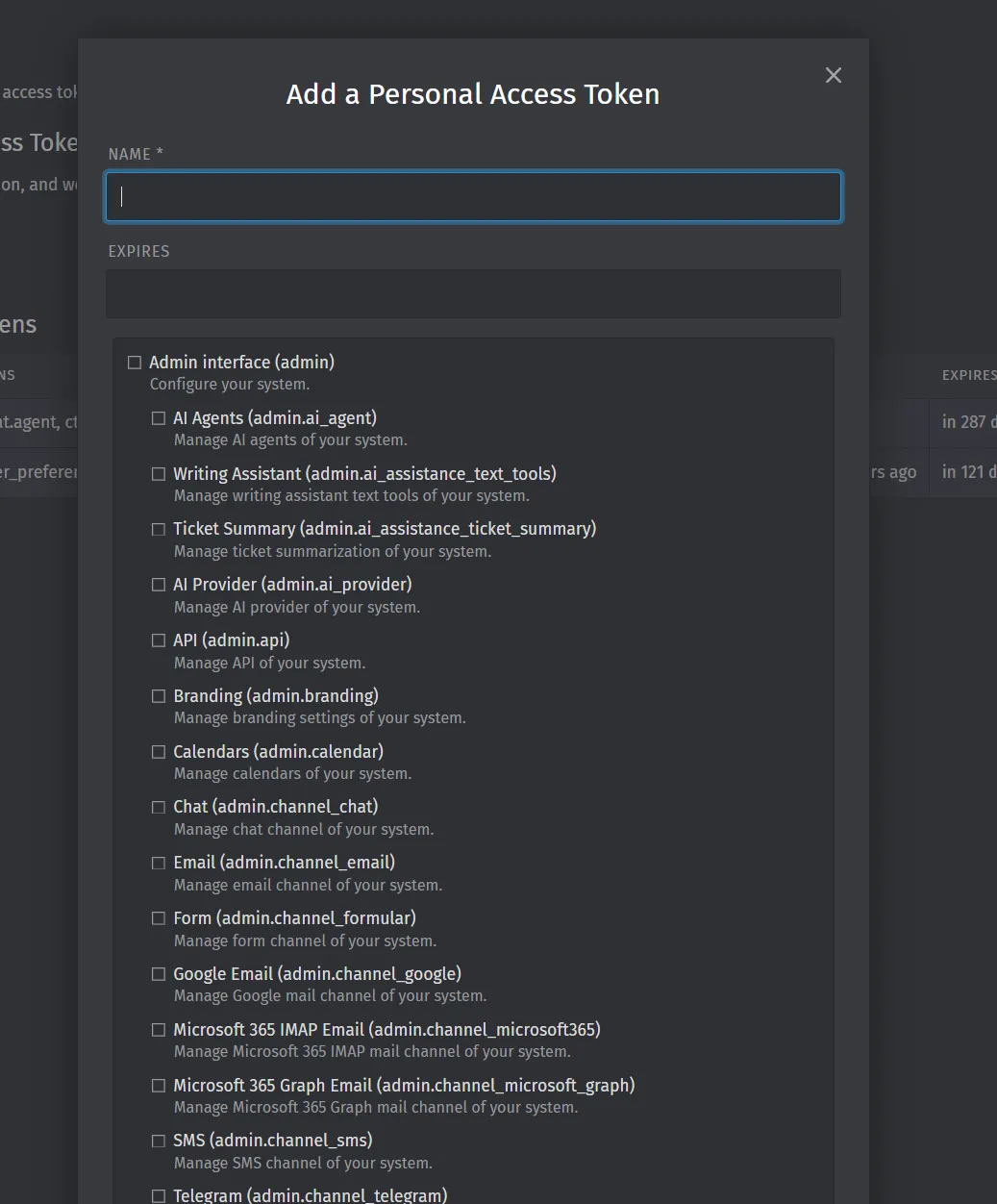
Name and permissions
- Choose a clear name (e.g.
MCP_Cursor). - Set expiration if your policy requires it.
- Enable scopes you need. For typical agent work, include at least:
- ticket.agent
- user_preferences
Add admin scopes only if you use admin-level MCP tools.
Copy the token once
Zammad shows the secret only once. Copy it, then confirm OK, I’ve copied my token.
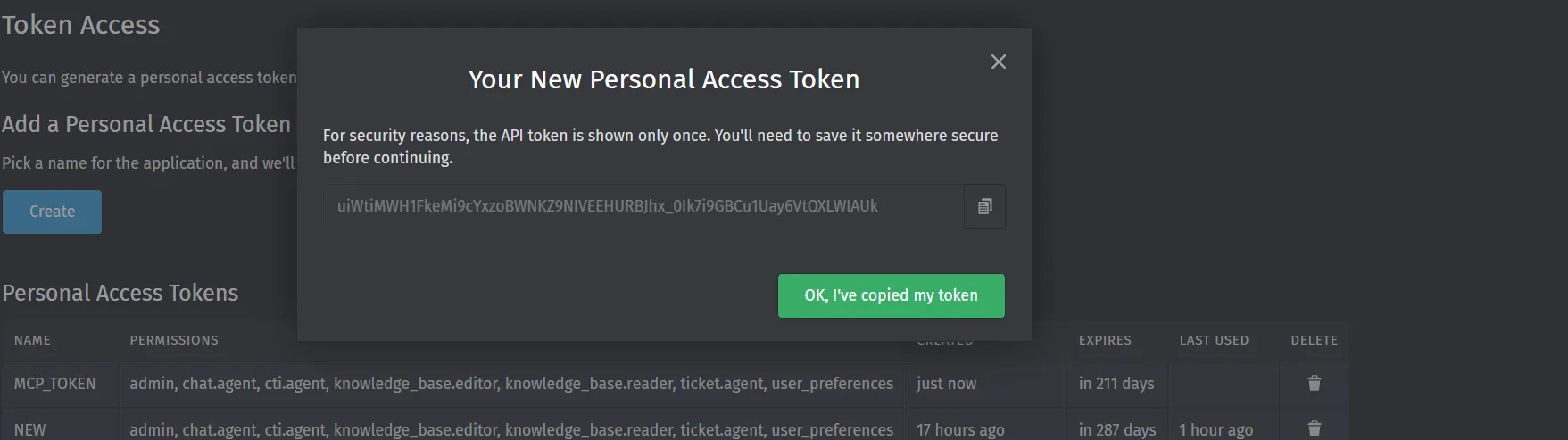
Store it as ZAMMAD_HTTP_TOKEN — never commit it to git.
Step 2 — Install the MCP server
Fastest path (recommended):
uvx zammad-mcp-serverOr install permanently:
pip install zammad-mcp-server
# or
uv tool install zammad-mcp-server
Step 3 — Connect Claude or Cursor
Add the server to your MCP config. Example for Cursor and Claude Desktop:
{
  "mcpServers": {
    "zammad": {
      "command": "uvx",
      "args": ["zammad-mcp-server"],
      "env": {
        "ZAMMAD_URL": "https://your-zammad.example.com",
        "ZAMMAD_HTTP_TOKEN": "paste_token_here",
        "MCP_DENIED_TOOLS": "delete_ticket,delete_user,delete_organization"
      }
    }
  }
}
Restart the client, then verify:
Run
health_checkon Zammad.
Details: Claude & Cursor setup · Configuration
What you can do — usage examples
Once connected, you work in natural language; the assistant calls MCP tools against Zammad. Below are practical patterns teams use on day one.
Ticket operations
| You ask… | What happens |
|---|---|
| ”List my open tickets.” | search_tickets with filters |
| ”Summarize ticket #12345.” | get_ticket + get_ticket_articles or ticket_summary_prompt |
| ”Find tickets about VPN in Support.” | search_tickets with query and group |
| ”Add an internal note to ticket 99.” | create_article (you review before sending) |
| “How many tickets were closed last week?” | get_ticket_stats |
Users and organizations
| You ask… | What happens |
|---|---|
| ”Who is the customer on this ticket?” | get_user / ticket payload |
| ”Search users with email @acme.com” | search_users |
| ”Show organization Acme Corp.” | search_organizations / get_organization |
Safety and governance
| You ask… | What happens |
|---|---|
| ”Which MCP tools are enabled?” | get_allowed_tools |
| ”What Zammad version are we on?” | get_server_info |
Deny delete tools in config so agents cannot remove tickets or users by mistake. See Security.
Built-in MCP prompts
The server includes prompts for structured workflows:
- Ticket summary — compress long threads for handoffs
- Customer communication — draft replies (human approval still required)
- Escalation analysis — overdue / escalation context
Full list: Tools reference
Example session (Cursor)
After setup, a support lead might run:
- “Run health_check.” → confirms API access.
- “Search open tickets in group Support, newest first.” → triage list.
- “Get full thread for ticket 1042 and summarize for escalation.” → summary for a manager.
- “Draft a polite customer reply acknowledging the delay — do not post yet.” → draft only; agent posts manually in Zammad.
The MCP server does not replace your review process for customer-facing messages.
Zammad MCP vs other options
When selecting how to bring AI automation to your helpdesk, there are different approaches depending on where you want the intelligence to live:
| Approach | Best for | Key Advantages | Out-of-the-Box Tools |
|---|---|---|---|
| Zammad 7 Native AI | In-app assistance inside the Zammad web UI | Native ticket sidebar integration, basic writing assistant | Summarize, draft, tone adjustment (in-UI) |
| Zammad MCP Server (Our Open-Core) | External AI clients (Claude Desktop, Cursor, Custom Agents) | Built on FastMCP 2.0+, granular access policies, robust unit tests, optional Caching | 30+ fully-typed tools (tickets, users, groups, organizations, systems) |
| Community MCP Wrappers | Quick personal experiments or scripts | Lightweight personal hacks with minimal dependencies | Basic read/write operations, lacks caching, granular security, or full resource coverage |
| Open Ticket AI Runtime | Private, enterprise on-premise AI automation | Custom-trained queue routing/classification, 100% local inference, zero marginal call cost | Full end-to-end background automation (no human client required) |
Our Zammad MCP Server complements your existing helpdesk setup. Unlike basic community wrappers, it is designed for production environments where security, complete resource coverage, and rate-limiting resilience are non-negotiable.
Troubleshooting
| Problem | Fix |
|---|---|
| 401 / 403 | Regenerate token; check ticket.agent and role |
| Connection error | ZAMMAD_URL must use https:// and be reachable from your PC |
| Tool missing | Check MCP_DENIED_TOOLS and run get_allowed_tools |
More: Quick Start troubleshooting
Zammad MCP Server FAQ
What is the Zammad MCP Server?
The Zammad MCP Server is an open-source bridge between Zammad and MCP clients such as Claude Desktop, Cursor, and custom agents. It exposes Zammad tickets, users, organizations, groups, and system information as typed MCP tools.
How do I install the Zammad MCP Server?
The fastest install path is uvx zammad-mcp-server. You can also install it permanently with pip install zammad-mcp-server or uv tool install zammad-mcp-server.
Does the Zammad MCP Server work with Cursor?
Yes. Add a zammad entry to Cursor’s MCP configuration with uvx, ZAMMAD_URL, and ZAMMAD_HTTP_TOKEN, then restart Cursor and run health_check.
Does the Zammad MCP Server replace Zammad AI features?
No. Zammad MCP connects external AI clients to the Zammad API. Native Zammad AI features run inside the Zammad UI, while Open Ticket AI Runtime is for private on-premise automation and custom models.
Next steps
- Zammad 7.1 production guide — access control, 7.1.3 compatibility, Cursor pin
0.1.1 - Full Zammad MCP Server docs — configuration, deployment, tools
- GitHub repository — issues and contributions
- Custom AI on your ticket data? Open Ticket AI for Zammad — on-prem models and routing beyond generic LLMs
Built by Open Ticket AI. The Zammad MCP Server is free and open source (MIT); support and implementation services are available via softoft.de for DACH teams.