
Zammad MCP Server for Zammad 7.1: Production Setup with Cursor and Claude
Connect Claude Desktop or Cursor to Zammad 7.1 with the open-source Zammad MCP Server. Token setup, access-control recipes, and Zammad 7.1.3 compatibility.
Traffic to our Zammad MCP Server documentation keeps growing — and for good reason. Teams running Zammad 7.1 want AI assistants in Cursor or Claude Desktop without building a custom REST integration. The Zammad MCP Server (zammad-mcp-server on PyPI, MIT) is already that bridge: 30+ typed tools, environment-driven access control, and compatibility with Zammad 6.0 through 7.1.3.
This guide focuses on what changed in the Zammad 7.x era and how to deploy MCP safely on a production helpdesk.
- Package:
zammad-mcp-server0.1.1 - Repo: github.com/Softoft-Orga/zammad-mcp-server
- First-time install walkthrough: Setup guide for Claude and Cursor
Zammad 7.1 and the MCP server — what you need to know
The MCP package is versioned independently from Zammad. One PyPI release talks to every supported Zammad version through the REST API — no Zammad-side plugin.
| Zammad version | Status | Notes |
|---|---|---|
| 7.1.3 | Tested | Latest stable (Aug 2026) — apply security patches promptly |
| 7.1.x | Tested | Default in the bundled Docker dev stack |
| 7.0.x | Tested | PostgreSQL required (MySQL not supported on Zammad 7.x) |
| 6.5.x – 6.0 | Compatible | Same REST API surface |
After connecting, ask your assistant to run get_server_info — it confirms which Zammad version your token sees.
Zammad 7.1 native AI (summaries, writing assistant inside the UI) and Zammad MCP solve different problems. Native AI stays in the agent interface; MCP connects external clients. See the comparison in Zammad 7 AI features. For custom queue routing and on-prem models, see Open Ticket AI for Zammad — all three can coexist.
Step 1 — Create the Zammad API token (with screenshots)
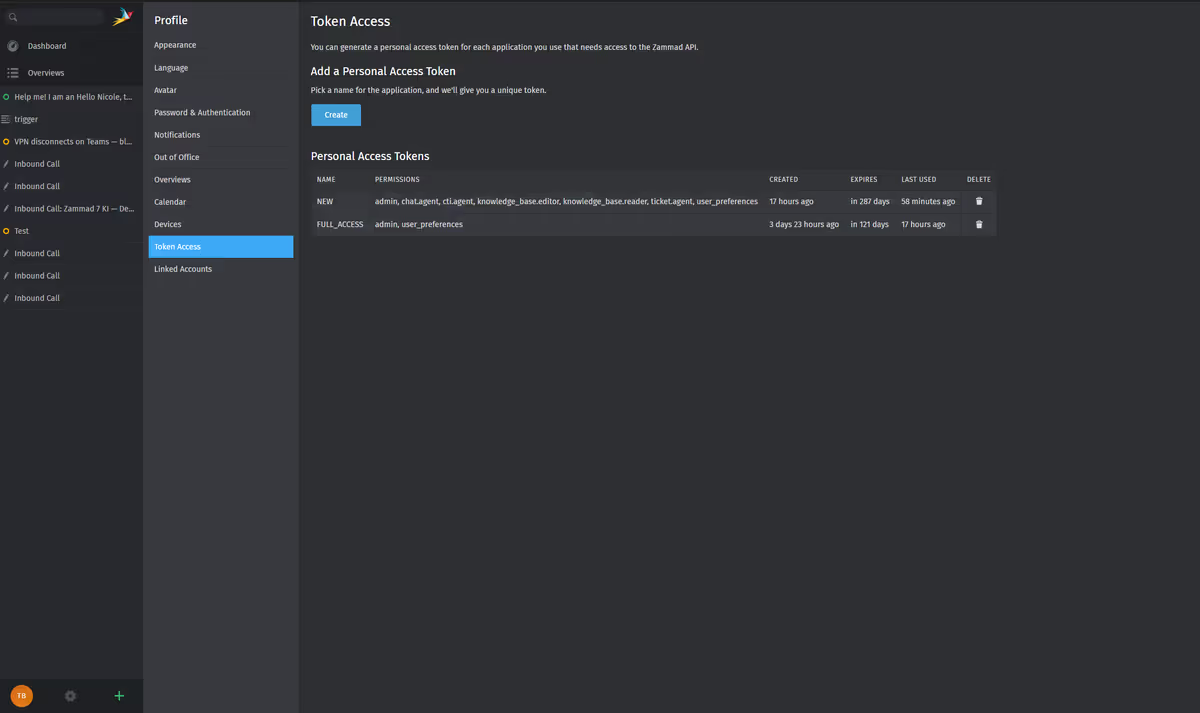
Authentication uses a personal access token from Zammad Profile → Token Access.
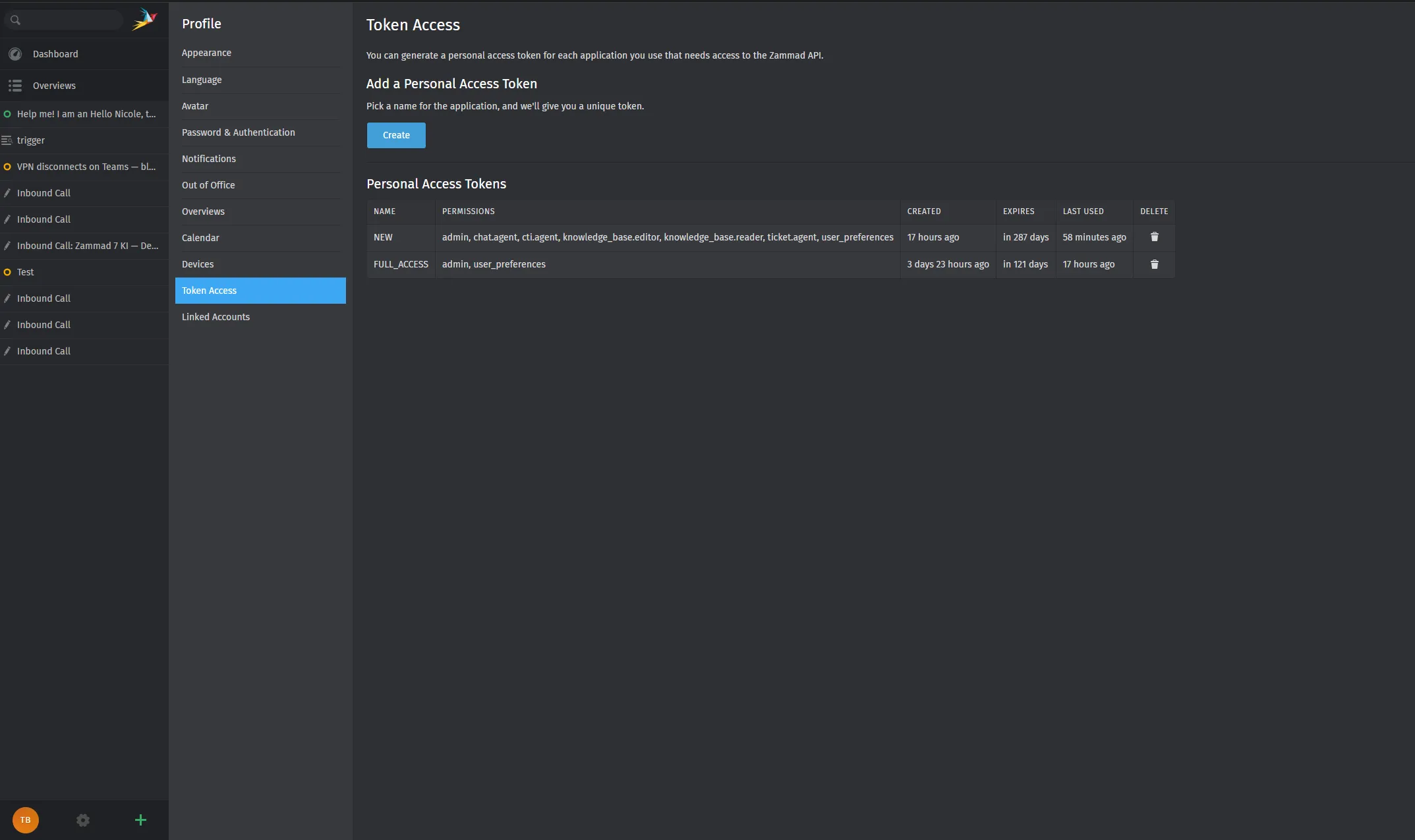
For a typical support workflow, enable at least:
- ticket.agent
- user_preferences
Copy the token once — Zammad will not show it again. Full screenshot walkthrough: Quick Start.
Store the value as ZAMMAD_HTTP_TOKEN. Never commit it to git.
Step 2 — Configure Cursor or Claude Desktop
Add the MCP server to your client config:
{
  "mcpServers": {
    "zammad": {
      "command": "uvx",
      "args": ["zammad-mcp-server==0.1.1"],
      "env": {
        "ZAMMAD_URL": "https://your-zammad.example.com",
        "ZAMMAD_HTTP_TOKEN": "paste_token_here",
        "MCP_DENIED_TOOLS": "delete_ticket,delete_user,delete_organization"
      }
    }
  }
}
Restart the client, then verify:
Run
health_checkon Zammad.
Detailed paths for Cursor Settings → MCP and Claude config file locations: Claude & Cursor setup.
Step 3 — Production access control (copy-paste recipes)
The biggest mistake teams make is giving an AI agent delete tools on day one. Use environment variables to enforce least privilege — full reference: Configuration.
Read-only triage (recommended first week):
MCP_ALLOWED_CATEGORIES=tickets,search,system
MCP_DENIED_TOOLS=create_ticket,update_ticket,delete_ticket,create_article,delete_user,delete_organization
Support lead (internal notes allowed, deletes denied):
MCP_ALLOWED_CATEGORIES=all
MCP_DENIED_TOOLS=delete_ticket,delete_user,delete_organization
MCP_ALLOWED_GROUPS=Support
Ask the assistant: “Call get_allowed_tools” to confirm the effective policy before wider rollout.
Step 4 — Day-one workflows that actually help
| You ask… | MCP tools involved |
|---|---|
| ”List open tickets in Support, newest first.” | search_tickets |
| ”Summarize ticket #1042 for escalation.” | get_ticket_articles, ticket_summary_prompt |
| ”Draft a polite delay reply — do not post.” | prompts + your review |
| ”How many tickets closed last week?” | get_ticket_stats |
The MCP server does not replace human approval for customer-facing messages. Agents still post from Zammad after review.
For an internal admin chat pattern (LibreChat + MCP), see Zammad Commander.
Docker and remote MCP (optional)
For teams that cannot run stdio on every laptop:
- Local Zammad dev stack: docker/ defaults to Zammad 7.1
- Container image:
ghcr.io/softoft-orga/zammad-mcp-server - SSE transport:
zammad-mcp-server --transport sse --port 8000— restrict to trusted networks
See Deployment and the GitHub DEPLOYMENT guide.
Troubleshooting on Zammad 7.x
| Problem | Fix |
|---|---|
401 / 403 on health_check | Regenerate token; confirm ticket.agent and group membership |
| SSL / proxy errors | Ensure ZAMMAD_URL uses https:// and is reachable from the MCP host |
| Tool missing after upgrade | Check MCP_DENIED_TOOLS; run get_allowed_tools |
| Zammad on MySQL while planning 7.x | Migrate Zammad to PostgreSQL before upgrading to 7.0+ |
Where to go next
- Zammad MCP Server docs hub — tools, security, configuration
- Original setup tutorial — extended FAQ and usage table
- Need classification and routing on your own GPU? Open Ticket AI for Zammad — Full On-Prem after a Free Cloud Trial evaluation
Built by Open Ticket AI. The Zammad MCP Server is free and open source (MIT).