
City Helpdesk in OTAI Studio: Citizen Queues, Priorities, and a Public Chatbot
Configure OTAI Studio for a municipality: queue and priority Agents, run conditions, and a public chatbot for hours, appointments, and forms.

A city service desk takes civil-registry mail, waste questions, permit intake, road defects, and fee queries. OTAI Studio routes that mail on the city’s own servers (Full On-Prem). It does not grant permits, assess applications, or close tickets.
Studio includes a demo, Example queue classification: municipality, stored on a sample DynamicField. Use it to see description style. The live setup is a Queue classification Agent synced to the queues in OTOBO or Znuny. On Zammad, the Agent classifies Groups. Zammad does not use queues.
Agents to create
Open Agents. Write descriptions in the language residents use. The model is zero-shot from those descriptions. Old tickets are not used for training.
Queue classification after sync:
| Queue | When it applies |
|---|---|
| Civil registry | Certificates, registrations, name and address changes |
| Waste | Bins, collection days, bulky waste appointments |
| Permits intake | Building and special-use applications that only need a file opened |
| Roads and parks | Potholes, lighting, playground faults |
| Fees | Invoices, payment status, reminders |
| General citizen service | Anything that only asks which office is responsible |
Priority classification. Sync real priority names:
- Highest: a public counter system is down during published opening hours
- High: a safety fault in a street or playground reported as a ticket
- Normal: a certificate or bulky-waste booking inside the usual time
- Low: a question already answered by a published hours page
Minimum confidence: Normal (80%), then human review under that line. A low-confidence permit must not fall back to “approved”. See Classification agents.
Summarization into a DynamicField for the case worker who picks up the file. See Summary agents.
Reply draft for “we received your request, here is the file number, here is the published processing time.” Formal style. A person sends it. Runtime does not. See Reply draft agents.
Run conditions
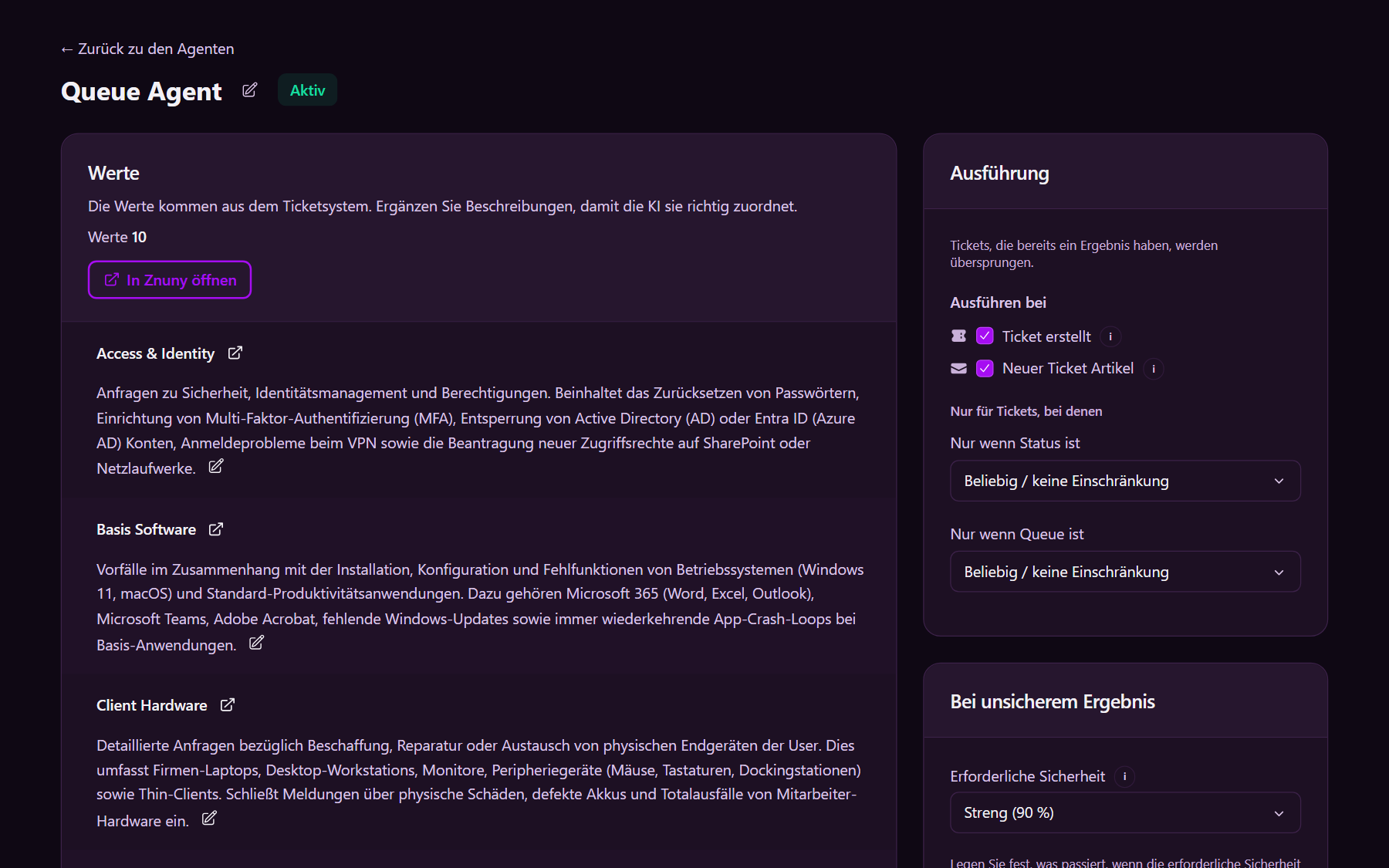
Under Run conditions on every ticket Agent:
- Ticket created
- State
newonly - Target field empty only
- Activate
A second office with its own ticket system (for example the utility company versus the city administration) is a separate Full On-Prem installation with its own Agents and Chatbots.
Public chatbot
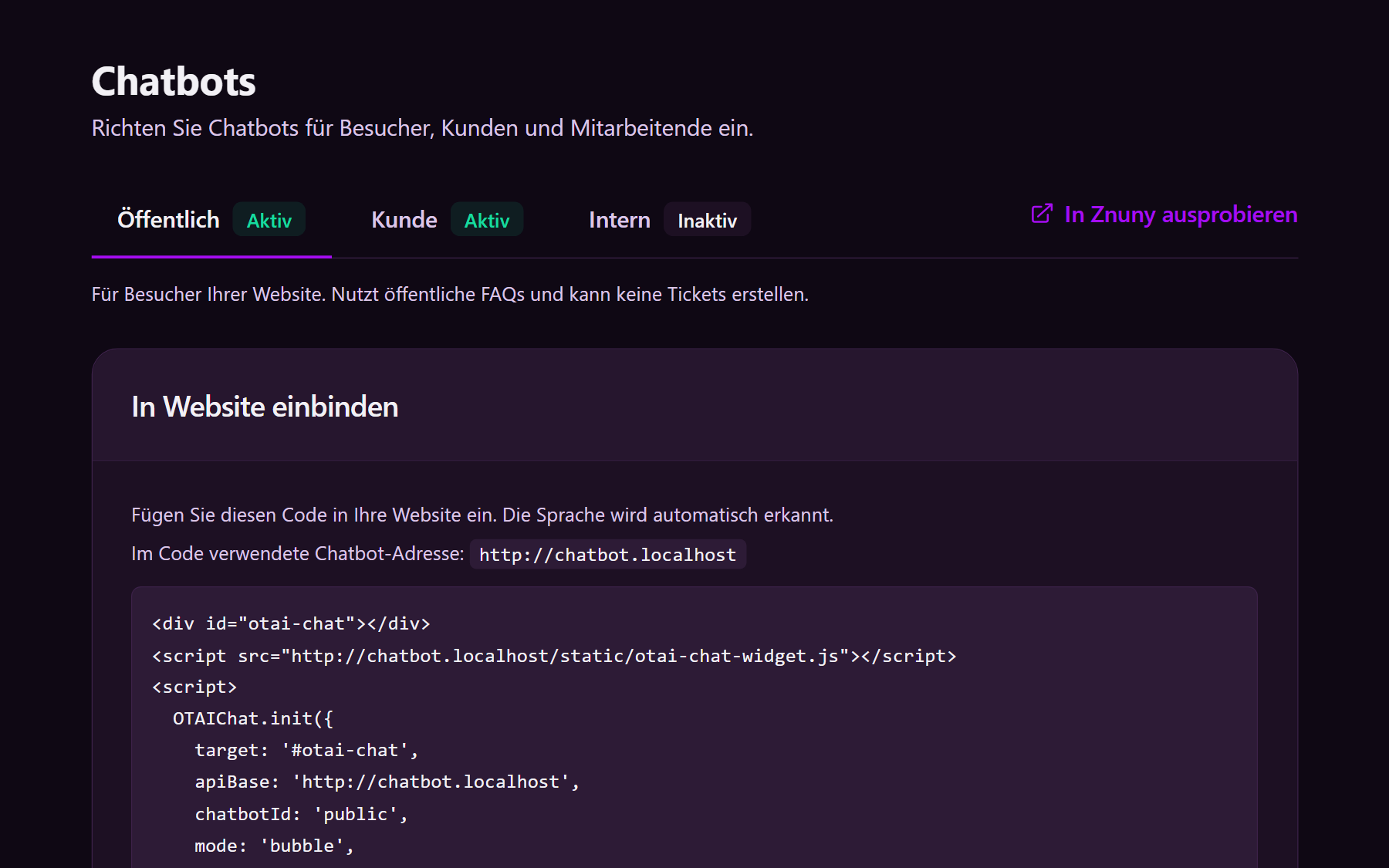
Chatbots → Public → Active. Search Public FAQs only. Allow answers only when a source matches.
Publish these articles in the ticket-system FAQ (Studio does not edit them; see FAQs):
- Counter hours and how to book a citizen-office appointment
- Which desk handles registration, waste, and fees
- Where the published forms are, and which ID to bring
- Bulky-waste rules that are already on the city site
- How to file a written request, and that the chat does not decide the request
The public chatbot cannot create a ticket. Point people to the portal or the published address.
Customer and internal
Customer, for residents signed in to a portal. Search Customer FAQs such as appointment status. Allow Create ticket so a missing FAQ still becomes a case. See the customer chatbot.
Internal, AI Chat for staff. Search Internal FAQs: which queue owns permit intake versus a road defect. See the agent chatbot.
Production is Full On-Prem. A Free Cloud Trial is only a login to try Studio. Writeback for OTOBO and Znuny comes from Runtime on the city’s servers. A broader public-sector frame is on the government solution page.